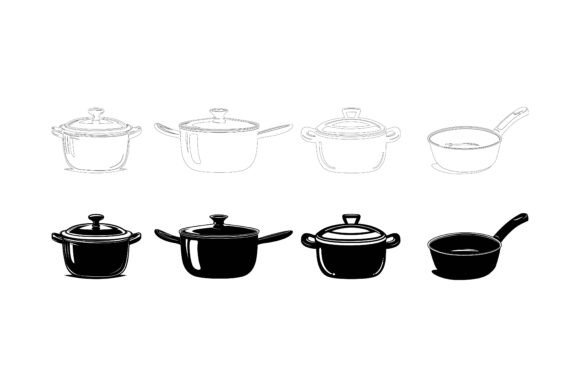
Vintage Pressure Cooker: A Versatile Retro Illustration Asset for Modern Designers
Graphic designers, content creators, and brand strategists often search for visuals that carry a distinct sense of nostalgia while remaining technically flexible. One such resource that quietly meets these demands is the Vintage Pressure Cooker illustration set, a curated vector package built for professionals who need more than just a pretty picture. It arrives as a collection of editable AI, EPS, and JPG files, designed to slot into everything from menu layouts and heritage branding to digital infographics and app interfaces. What makes it worth examining closely is not simply the subject—an old-fashioned kitchen appliance—but how the artwork is constructed, delivered, and adapted across vastly different creative briefs.
What the Core File Package Delivers
At the center of the asset lies a meticulously drawn depiction of a classic pressure cooker, rendered with a hand-illustrated feel that balances realism and symbolic simplicity. The download includes three core formats: Adobe Illustrator (AI), Encapsulated PostScript (EPS), and a high-resolution JPG preview. The vector files are the real workhorses here. Because they are resolution-independent, you can scale the artwork from a tiny social media icon up to a large-format billboard graphic without any loss of quality. The AI file keeps all editable paths and layers intact, while the EPS serves as a universal fallback for those working in CorelDRAW, Affinity Designer, or older software versions. The JPG offers a ready-to-use raster alternative when quick placement is all that’s needed, though for serious customization the vectors are the obvious choice.
Organizational discipline inside the files saves time during production. Layers are labeled logically—outlines, base colors, shadows, highlights, and background elements are separated rather than flattened. This structure lets you isolate specific visual components in seconds. Need to recolor the metallic body and keep the handles a contrasting tone? You can do it without hunting through grouped paths or complex masks. The asset was built with both Mac and Windows users in mind, so there are no font dependencies or platform-specific hiccups, and the AI file is saved in a version that remains broadly compatible.
Detail-Oriented Construction and Visual Appeal
Close inspection reveals a strong commitment to proportional accuracy and textural cues. The pressure cooker’s domed lid, side clamps, pressure regulator, and sturdy handles are drawn with a consistency that avoids unnecessary stylization. This makes the illustration feel authentic enough for heritage cookbook covers or farm-to-table branding, yet clean enough for modern UI icons or minimalist recipe cards. The line weight varies subtly to suggest depth, and shading uses gentle gradients rather than harsh flat tones, giving the metal surfaces a convincing heft.
Consistency across the illustration matters when you iterate on a visual theme. If you plan to combine this vintage pressure cooker with other retro kitchen vectors, the uniform detailing helps maintain a cohesive aesthetic. The asset doesn’t veer sharply between cartoonish and photorealistic; it occupies a stable middle ground that works across editorial layouts, packaging design, and instructional infographics alike. Because colors are applied via flat fills and simple gradients, recoloring the illustration to match a specific palette is fast and predictable—no complex texture overlays gumming up the workflow.
Where Editable Vectors Excel in Everyday Use
The real measure of any illustration resource lies in its adaptability once it leaves the asset library. With the Vintage Pressure Cooker set, several practical strengths become apparent when you push it into different media. For print applications such as recipe books, restaurant menus, or promotional postcards, the vector foundation means prepress adjustments happen without resampling headaches. You can bump the artwork to 300 DPI, convert spot colors, or isolate elements for foil stamping separations without losing crispness.
On the digital side, the same file handles responsive web design natively. Export the pressure cooker as an SVG directly from Illustrator and embed it into your website header or blog graphic with minimal code weight. It scales seamlessly across device widths, maintaining clarity on high-DPI retina screens where raster images often appear soft. App developers appreciate this too; the icon translates into clean tab bar icons or feature spot illustrations without multiple export sizes cluttering the project.
Infographic designers will find the layer structure particularly useful. You could grab the pressure gauge alone, enlarge it slightly, and use it as a diagram callout to annotate pressure levels or cooking times. Because components are logically separated, extracting and repurposing individual parts takes seconds. This kind of flexibility reduces the need to purchase multiple icons for a single campaign—one well-organized file can supply an entire visual system for a cooking safety guide or a timeline of kitchen technology.
Who Gains the Most from This Resource
While any creative can benefit from a high-quality vintage illustration, certain user profiles will extract disproportionate value. Freelance graphic designers juggling multiple client brands will appreciate how quickly they can produce themed social media posts, recipe cards, or workshop flyers without starting from scratch each time. The neutral yet character-rich style of the pressure cooker means it won’t clash with modern typography or bold color schemes; it acts almost like a chameleon in restrained layouts.
Small business owners in the food sector—canners, farm stand operators, specialty sauce makers—often need affordable imagery that feels artisanal rather than stock-photo generic. This illustration set gives them a professional baseline to build labels, loyalty cards, and Etsy shop banners that tell a coherent story. Educators and content publishers who produce how-to guides or historical culinary content will find the vintage pressure cooker a natural fit for articles, e-books, and instructional video thumbnails, lending a sense of warmth and authority that generic flat icons cannot match.
Bloggers and marketers focused on homesteading, sustainable living, or traditional cooking methods will also see strong alignment. The asset acts as a visual shortcut to trust and heritage, reinforcing written content about pressure canning, slow-food movements, or multigenerational recipes. Because it’s editable, you can tweak the cooker’s tone to match seasonal branding—adding a soft orange glow for autumn promotions or cooling down the metal for a winter stew recipe collection.
Real-World Project Scenarios and Practical Integration
To make this tangible, consider a few realistic applications. A freelance marketer is tasked with creating a six-post Instagram series for a local kitchenware brand that emphasizes durability and tradition. Using the Vintage Pressure Cooker illustration, she extracts the cooker silhouette, adjusts its color to match the brand’s copper accent, and layers it over textured recipe backgrounds. For the final post, she isolates the pressure regulator, adds animated steam vectors, and creates a looping GIF that stops scrollers mid-feed. The entire campaign builds visual consistency without licensing multiple sets.
In another scenario, a cookbook designer needs a chapter opener for the pressure-cooking section. She opens the AI file, scales the artwork to fill half a page, applies a duotone treatment that mirrors the book’s rustic palette, and places the cleaned-up vector directly in InDesign. No clipping path issues, no white ghosting around edges. The same file later becomes a tiny icon in the table of contents, proving how scalable the asset truly is.
A product manager at a mobile app startup focusing on meal planning requests custom icons for the “pressure cook” category. Instead of commissioning original illustrations, the in-house designer first modifies the vintage pressure cooker from this set—simplifying details, thickening strokes, and rounding corners to meet the app’s design system. Because the original artwork was built with clean, well-grouped geometry, the adaptation takes under an hour rather than half a day.
These scenarios underscore a key insight: the value of an editable vector set grows proportionally to the number of touchpoints it can serve. One well-constructed asset often replaces three or four separate downloads, especially when you need a hero image, an icon, and a decorative element within a single project.
Weighing Practical Strengths and Honest Limitations
No creative resource is without trade-offs, and discussing them openly helps professionals make informed decisions. On the strength side, the combination of AI and EPS formats with sensible layer organization and detailed shading puts this illustration ahead of many lower-tier vector packs. The consistency in line work and shadow treatment makes it safe for commercial use across multiple channels. The JPEG backup, while not the main attraction, is a thoughtful addition for those moments when you simply need to drop a visual into a presentation or blog post without opening graphic software.
However, the Vintage Pressure Cooker set is intentionally focused—it is one illustration, not a sprawling collection of kitchen appliances. If your project demands a full suite of matching retro objects (a toaster, a mixer, a kettle), you will likely need to source additional vectors from the same creator or elsewhere. While the style is cohesive internally, pairing it with mismatched assets could dilute the visual language. Fortunately, the file’s editability means you can adjust colors and contour styles to bridge slight differences, but it still requires an extra step.
Another consideration is the software requirement. To fully leverage the AI and EPS files, users need vector editing tools such as Adobe Illustrator, Affinity Designer, or CorelDRAW. Those relying solely on Canva or Google Slides may only be able to use the static JPG, missing out on the deep customization the vectors provide. The learning curve for layer-based editing is modest, but complete beginners might need an hour of orientation to feel comfortable isolating and recoloring components. That said, the file’s straightforward labeling substantially flattens that curve compared to poorly organized alternatives.
Finally, the aesthetic, while flexible, leans toward vintage realism. Brands with ultra-minimalist, flat-design identities might find the illustration’s gradient shading and detailed linework a bit pronounced. In those cases, a designer can reduce the complexity manually, but it adds time. For the majority of mid-range projects, though, the visual weight hits a sweet spot—distinctive without being overly ornate.
In the end, what you’re acquiring is not just a picture but a structured, editable visual component that respects the demands of real-world design workflows. The Vintage Pressure Cooker illustration set suits those who understand that good assets earn their place by reducing repetitive tasks and enabling consistent brand expression. Creatives who value tidy file architecture, compatibility across platforms, and the ability to transform a single graphic into multiple deliverables will find this a quietly reliable addition to their toolkit. It does not promise to revolutionize your design process, but it does deliver exactly what it claims: a well-crafted, organized, and genuinely useful asset that fits into both half-day social media sprints and months-long publishing projects alike.